How to Access
How to open the Mini App
The mini app lives inside the Solnex Telegram bot. There are three ways to access it — from the bot chat, from a direct link, or by adding it to your phone's home screen for one-tap launch.
Open @tradeonsolnexbot
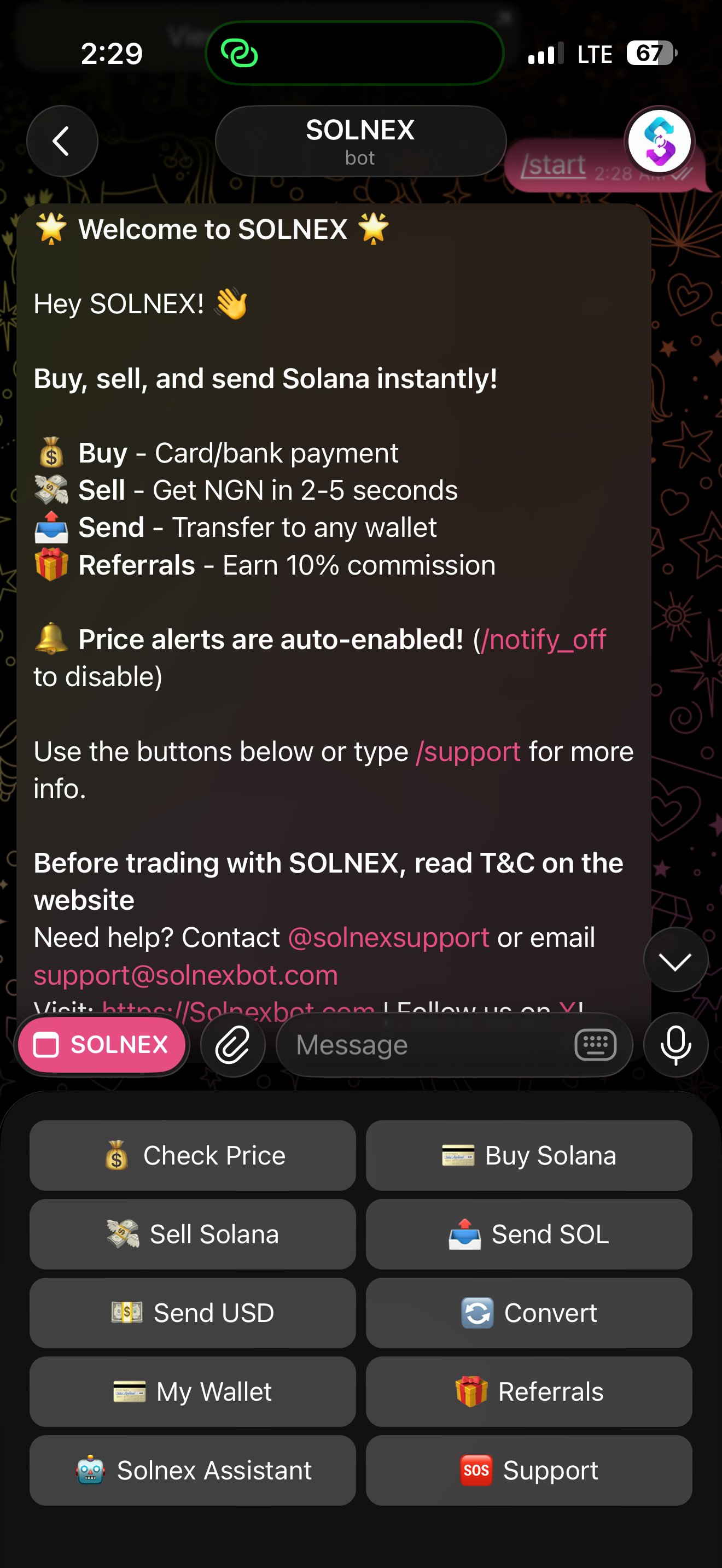
Search for @tradeonsolnexbot on Telegram or tap any Solnex bot link. New users tap Start to begin.
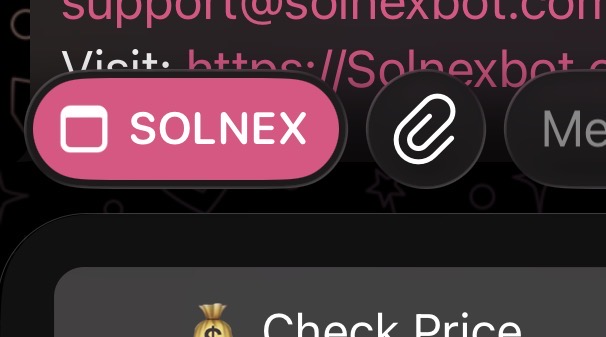
Tap the SOLNEX button
You'll see a pink SOLNEX button at the bottom of the chat next to the message input. Tap it to launch the mini app instantly in full screen.
No login required
The mini app opens immediately. Your account loads automatically using your Telegram identity. There is no separate password, email, or login step.
Add to home screen (optional)
For faster access, add the mini app to your phone's home screen. Tap the three-dot menu inside the app and select Add to Home Screen, or use the button at the top of this page.
Feature Walkthrough
Every screen, explained
The Solnex Mini App has seven main screens, each designed for a specific job. Below is a detailed breakdown of what each screen does and how to use it.
Your portfolio at a glance
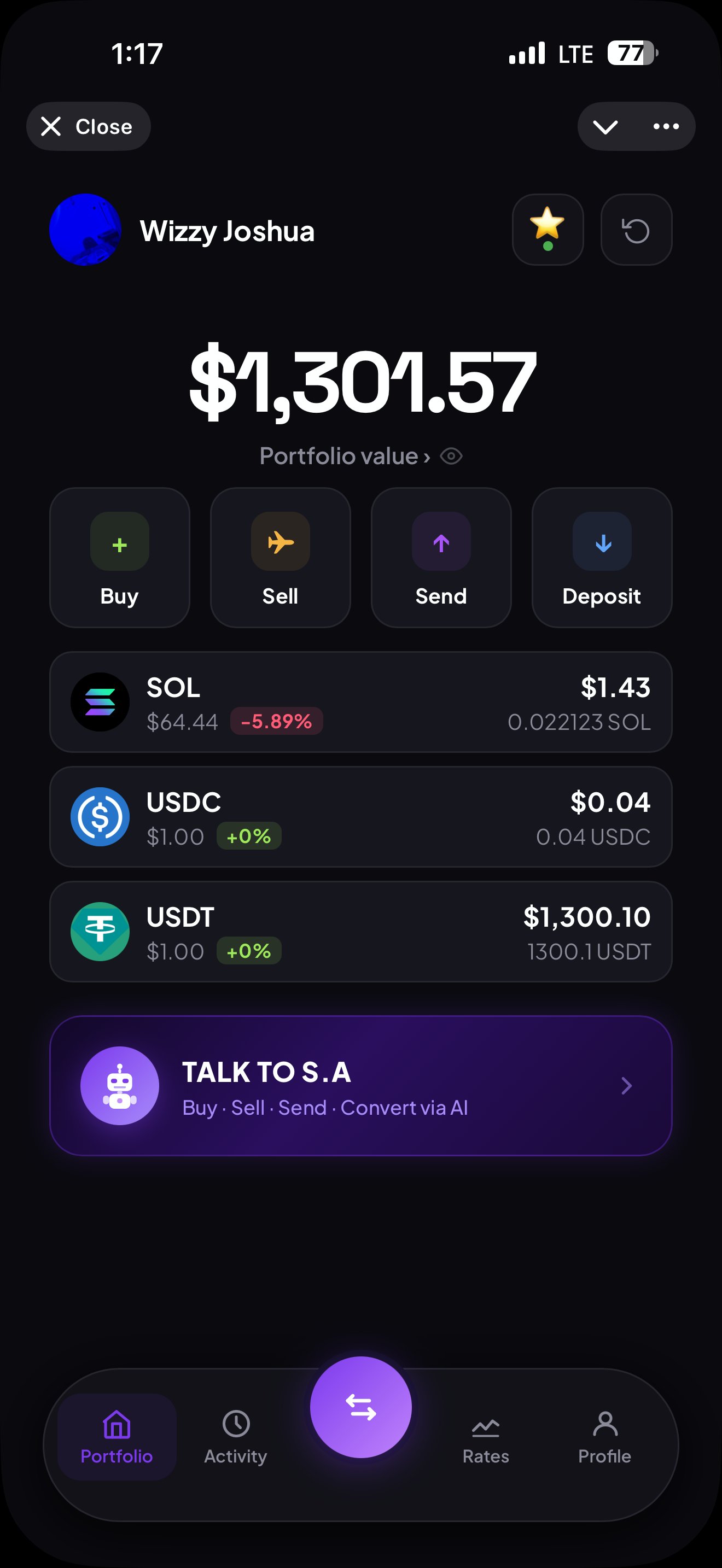
The Portfolio screen is the home of the mini app. The moment you open Solnex, you see your total portfolio value in USD along with your individual token balances and live price changes.
- Total portfolio value displayed in real-time USD
- Individual balances for SOL, USDC, and USDT
- Live percentage price change per token
- Quick action buttons for Buy, Sell, Send, and Deposit
- One-tap launch into Talk to S.A — the AI trading assistant
- Refresh button to update balances instantly
Buy Solana with bank transfer
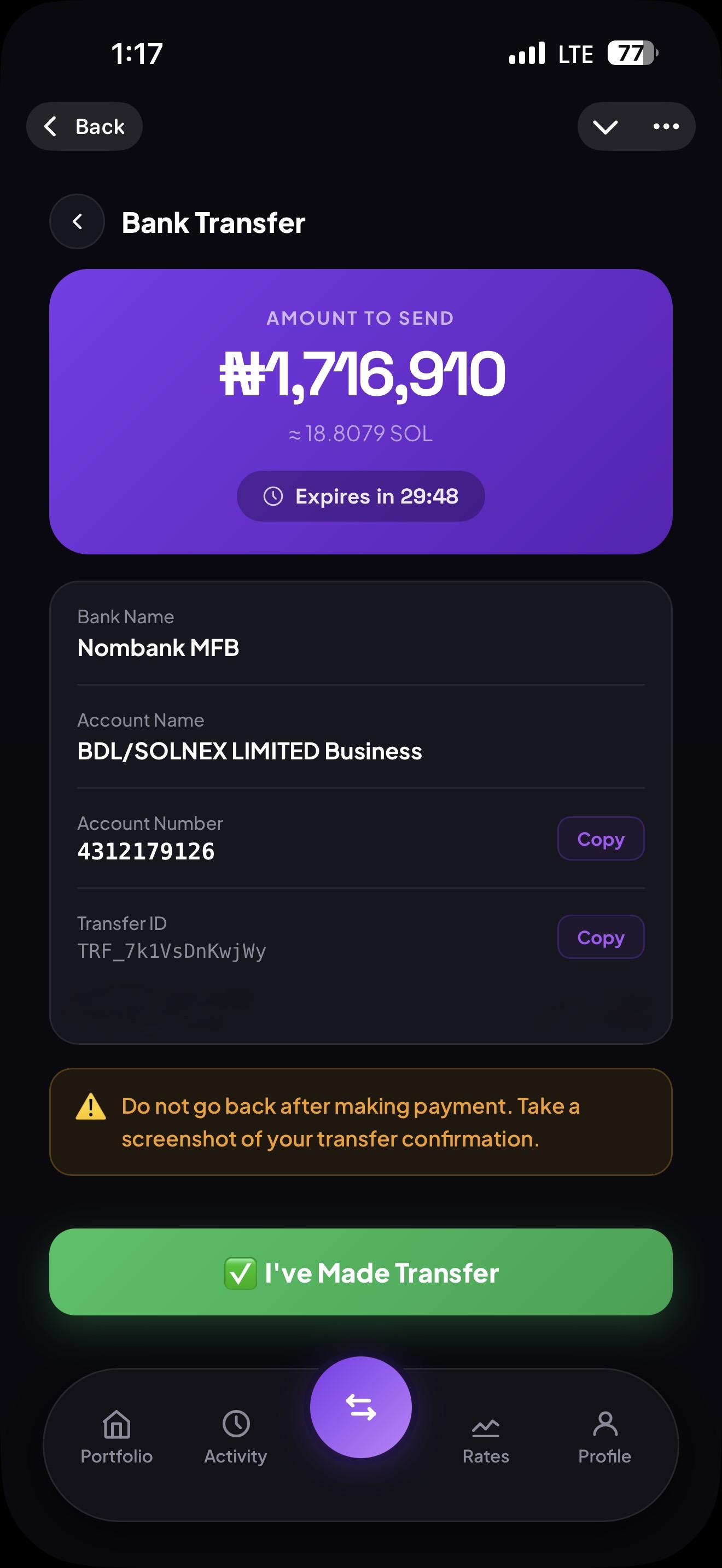
Buying on Solnex is done entirely via Naira bank transfer. No card needed, no exchange account, no third-party signup. You get a unique payment reference and a time-locked quote, then simply make the transfer.
- Pay with Nigerian Naira via direct bank transfer
- Quote locked with a 30-minute expiry timer
- Unique Transfer ID generated for each transaction
- Payment goes to BDL/SOLNEX LIMITED Business account
- Crypto credited to your wallet automatically after confirmation
- Choose between SOL, USDC, or USDT to buy
Sell Solana and receive Naira
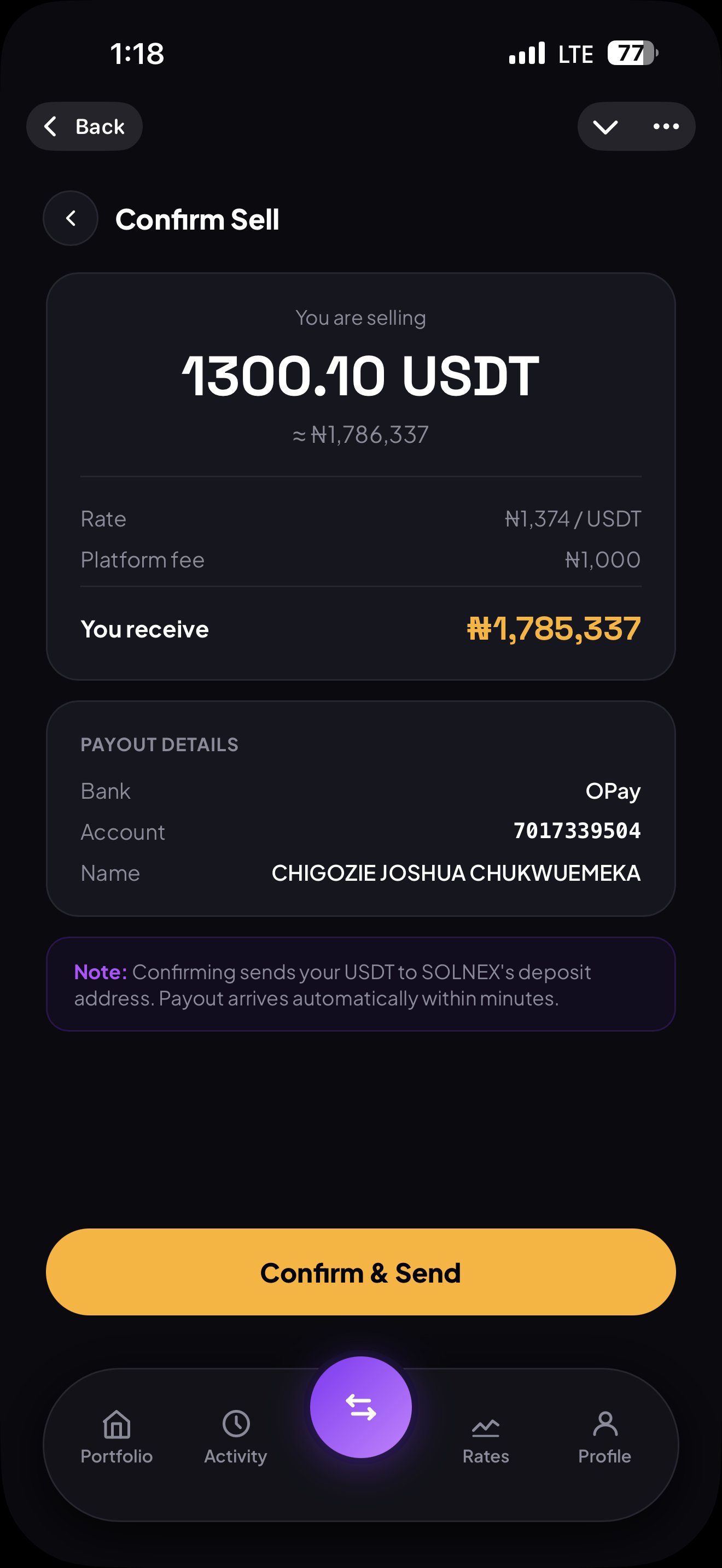
The Sell screen is where Solnex stands out. Enter the amount, confirm the payout details, and Naira lands in your bank in seconds. The confirmation screen shows you the rate, fee, and final payout before you commit.
- Sell SOL, USDC, or USDT for Naira
- Payout arrives in 2–5 seconds automatically
- Rate, platform fee, and net payout shown upfront
- Supports OPay and all major Nigerian banks
- Save beneficiary accounts for faster future sells
- Minimum sell amount: ₦100
Swap tokens via Jupiter
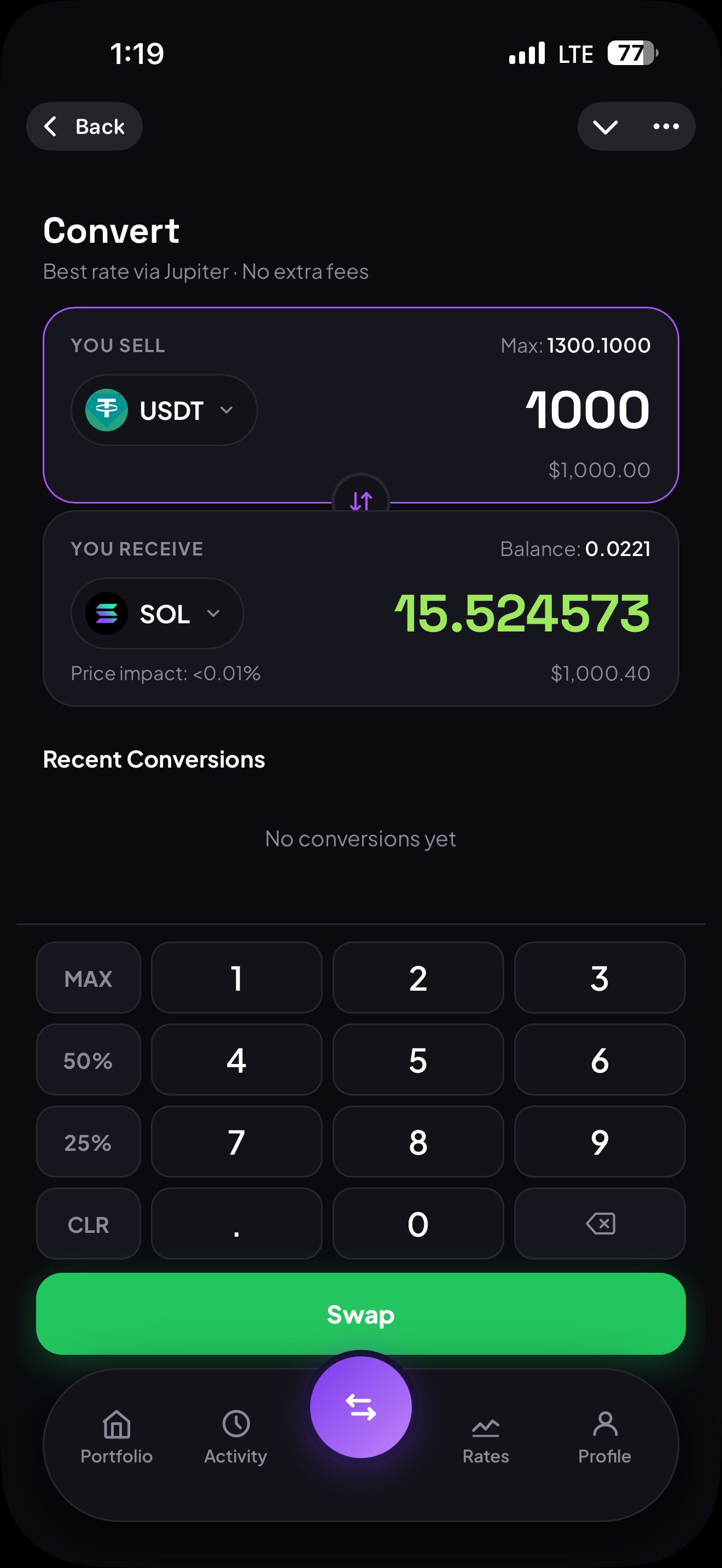
The Convert screen lets you swap between SOL, USDC, and USDT at the best available rate, powered by Jupiter — the leading Solana DEX aggregator. Solnex charges no extra fees on conversions.
- Powered by Jupiter for best-rate routing
- Zero extra fees from Solnex on conversions
- Price impact shown before you confirm (often under 0.01%)
- MAX, 50%, and 25% quick-fill buttons
- Real-time receive amount updates as you type
- Recent conversion history shown on the screen
Live buy and sell rates
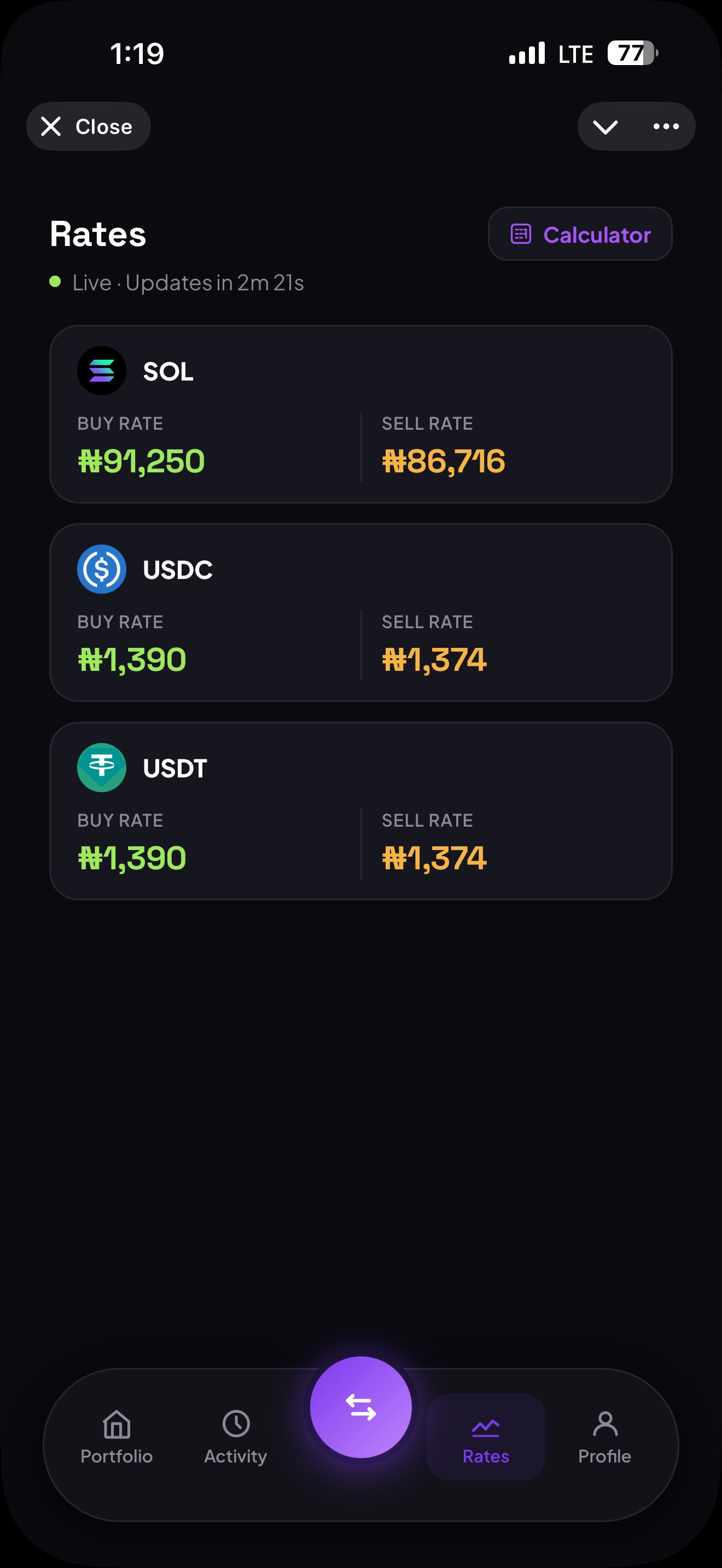
The Rates screen shows you exactly what Solnex is paying and charging for each asset in real time. Rates refresh automatically every few minutes so you always have current pricing before you trade.
- Buy and sell rates shown side by side for SOL, USDC, USDT
- Live indicator with countdown to next refresh
- Rates sourced from real-time market data
- Built-in Calculator button for quick conversions
- Know your rate before you trade — no surprises
Full transaction history
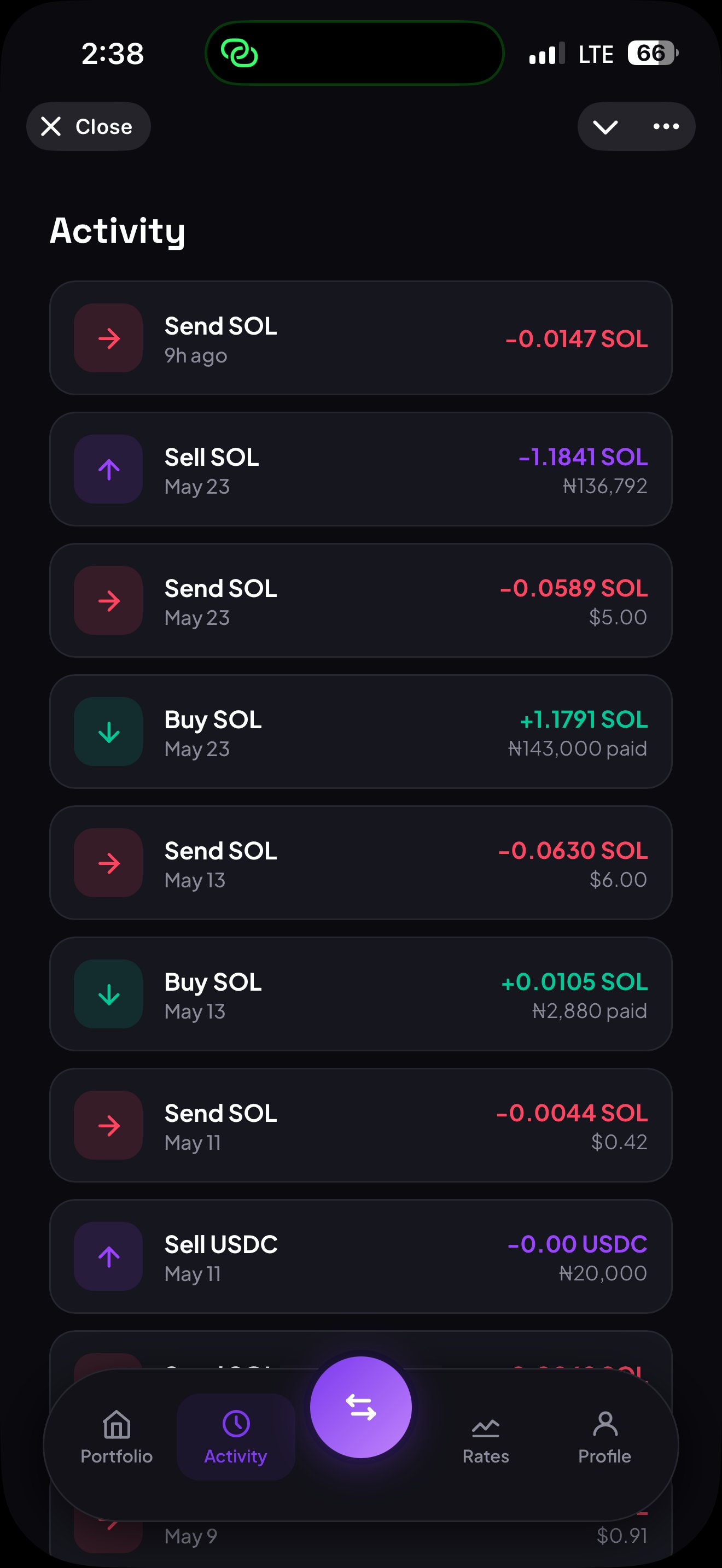
Every buy, sell, send, and convert is logged in your Activity feed. Each entry shows the type, date, amount, and Naira value, giving you a complete audit trail of your trading history.
- Complete history of all buys, sells, sends, and converts
- Color-coded: green for incoming, red for outgoing
- Shows exact SOL, USDC, and USDT amounts with Naira equivalent
- Timestamps for every transaction
- Scrollable feed of your entire trading history
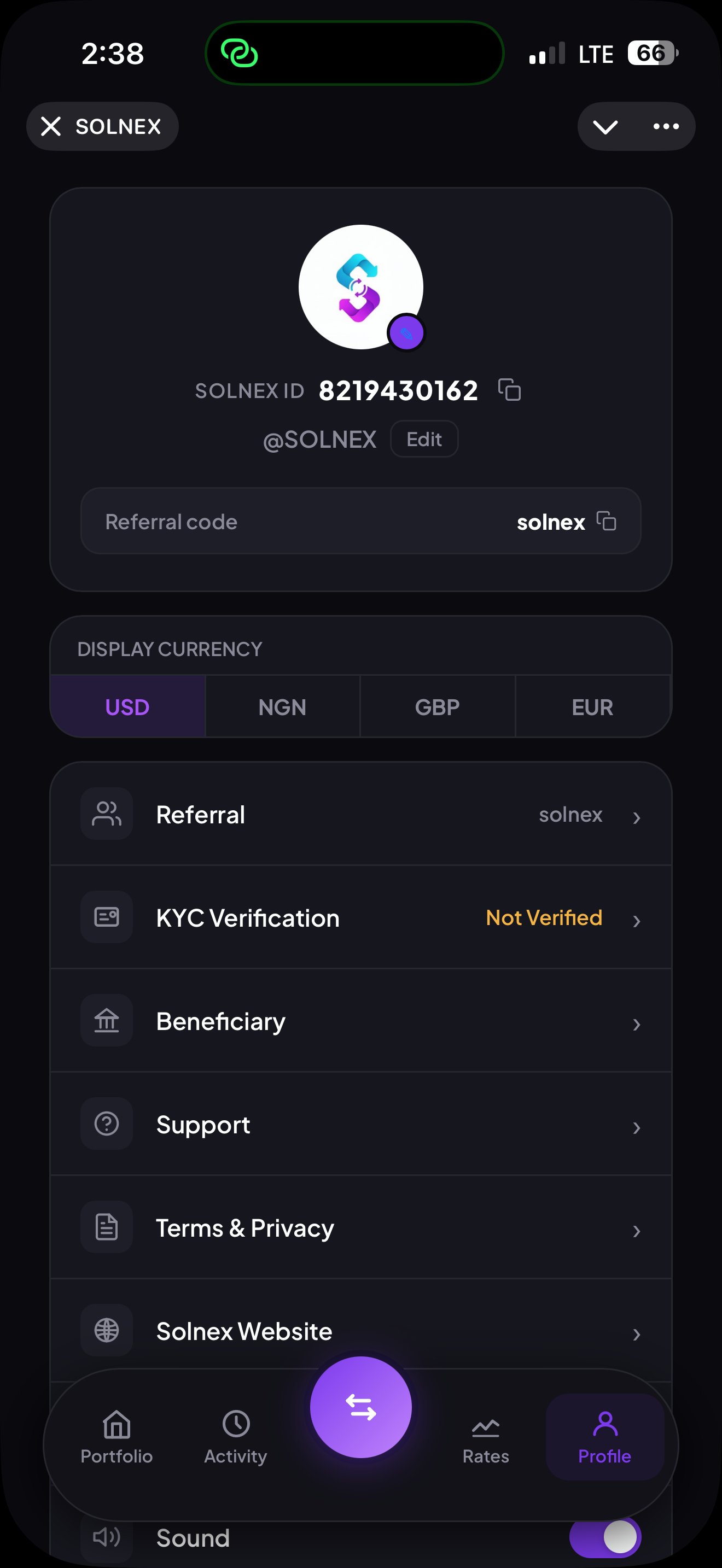
Your account and settings
The Profile screen is your account hub. Manage display preferences, view your Solnex ID, access your referral code, complete KYC verification, and configure security settings — all in one place.
- Unique Solnex ID for your account
- Referral code to earn 10% commission on referrals
- Switch display currency between USD, NGN, GBP, EUR
- KYC Verification status and submission
- Beneficiary bank accounts management
- Security settings, sound, and support access
Fee Structure
Transparent sell fees
Solnex uses a tiered flat-fee model on sells. Instead of charging a percentage that scales endlessly with your trade size, you pay a flat Naira amount based on which tier your sell falls into. The result: predictable fees and significant savings on larger sells.
| Sell amount | Fee |
|---|---|
| ≤ ₦5,000 | ₦50 |
| ≤ ₦50,000 | ₦100 |
| ≤ ₦250,000 | ₦250 |
| ≤ ₦500,000 | ₦500 |
| > ₦500,000 | ₦1,000 |
Earn points on every trade
Every buy and sell on Solnex earns you points automatically. Points accumulate in your account and can be applied to offset your buy fee on future trades, effectively reducing what you pay. The more you trade, the more you save.
AI Feature
Meet S.A — Your AI trading assistant
S.A (Solnex Assistant) is built directly into the mini app. Instead of tapping through menus, just tell S.A what you want to do in plain English. S.A understands natural language and handles the entire transaction flow for you.
- — Say "buy 0.5 SOL" and S.A walks you through it
- — Ask "what's the current SOL rate?" for instant answers
- — Convert, send, and check balances entirely via chat
- — Powered by Claude AI for natural language understanding
- — Available 24/7 inside the mini app
Solnex Assistant
Online · Powered by Claude AIAccess Options
Three ways to launch
Choose how you want to use the mini app. All three options give you the same experience — pick whichever fits your habits best.
Open mini app directly
Skip the bot chat entirely. This link opens the Solnex mini app directly with your portfolio loading instantly.
Open App →Add to home screen
Pin Solnex to your iPhone or Android home screen for one-tap access. Looks and feels like a native app, with no app store needed.
Add to Home Screen →Use via bot chat
Prefer the classic bot? Open @tradeonsolnexbot and tap the pink SOLNEX button at the bottom of the chat to launch the mini app.
Open Bot →